In-ear monitoring for bands: getting started, systems and costs
Wedges that feed back, a mix that sounds different every night and ringing ears after the show: that’s why more and more bands switch to in-ears. Here’s the overview I wish I’d had as a drummer when I started, plus recommendations for every budget.
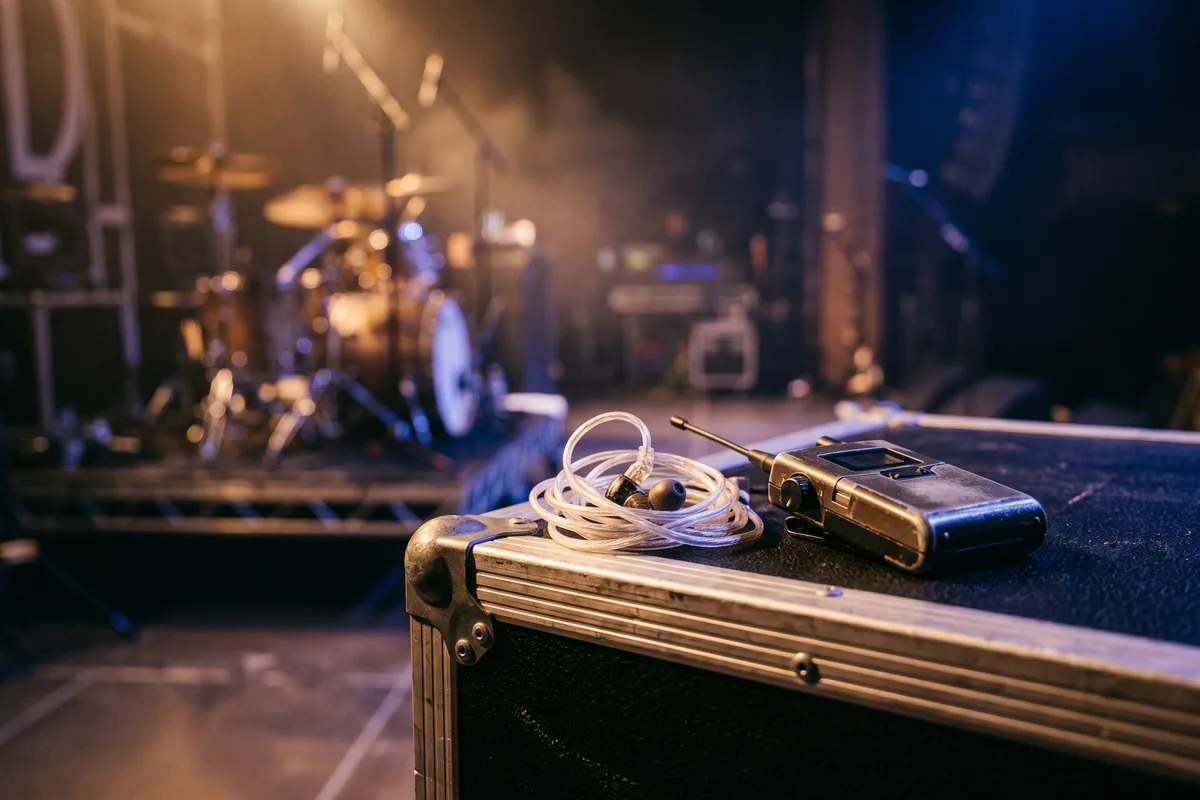
Why in-ears (and what speaks against them)
- Protect your hearing: good earphones block stage volume. You hear yourself quieter and still clearer than on wedges.
- The same mix every night: especially with your own desk. No re-dialling at every venue.
- A quieter stage: fewer wedges mean less feedback and a cleaner sound for the audience.
- Click and playback: if you play to a click or backing tracks, in-ears are close to essential. Find the tempo for your click fast with the tap tempo tool.
The downsides are real: at first you feel cut off from the crowd, the gear costs money and setup time, and a bad mix in your ears is worse than a bad wedge. Plan a few rehearsals for the switch, not your first show.
Wireless or wired?
Anyone who moves on stage, so vocals, guitar and bass, needs a wireless system. Drummers and keyboard players stay put and do fine with a wired beltpack. It costs a fraction, has no dropouts and needs no frequency planning.
Important with wireless: which frequencies are allowed differs from country to country. Before shows abroad, check that your systems may be used there and list the frequency ranges in your rider. At festivals the production usually coordinates all frequencies.
Who does the mix?
- The house crew: you get your mixes from the house desk’s monitor sends. No extra cost, but the mix depends on the engineer and the desk and sounds different every night.
- Your own rack mixer with a split: all signals go through a split to your own digital desk and to the house. Everyone mixes on an app and scenes are saved. This is the biggest step up.
- Personal mixers: small mixers at each musician’s position, fed from the desk. Handy for drummers and keys who don’t want to look at a phone.
Systems and costs: entry level to pro
Prices are guide prices (street prices, autumn 2026) and vary by retailer and version. Wireless systems come in different frequency bands, so pick the right variant for your country.
Entry level approx. €350–600 per person
| What | Product | Price | Why |
|---|---|---|---|
| Wireless system | Xvive U4 | approx. €200 | Tiny 2.4 GHz system with no frequency planning. Great for small stages, but more prone to dropouts in crowded Wi-Fi rooms. |
| Wired beltpack | Behringer P2 | approx. €50 | For drums and keys who don’t move. No wireless, no dropouts, almost no money. |
| Earphones | Shure SE215 | approx. €100 | The classic starter: sturdy, good isolation, replaceable cable. |
| Mixing | Behringer XR18 | approx. €500 | 18-input rack mixer, everyone mixes their own in-ear mix on a phone app. |
Mid-range approx. €900–1,300 per person
| What | Product | Price | Why |
|---|---|---|---|
| Wireless system | Shure PSM 300 | approx. €700 | UHF system you see on lots of touring stages. Stereo, stable, easy to use. |
| Wireless (alternative) | Sennheiser EW IEM G4 | approx. €800 | Equally proven, very robust beltpacks, wide tuning range. |
| Earphones | Shure SE425 | approx. €250 | Two drivers, noticeably clearer highs and mids. Good for vocals and guitars. |
| Mixing | Behringer X32 Rack | approx. €1,300 | Your own monitor desk for the whole band: the same mix every night, whatever the house gear. |
Pro from approx. €2,500 per person
| What | Product | Price | Why |
|---|---|---|---|
| Wireless system | Shure PSM 1000 | from approx. €2,500 | Diversity beltpacks, the standard on big productions. Worth it with many systems on one stage. |
| Wireless (alternative) | Sennheiser 2000 IEM | from approx. €2,000 | Very clean sound and long range, also widely used on tour. |
| Earphones | Custom In-Ears (Otoplastik) | approx. €500–1,500 | Made from ear impressions: best isolation, comfortable for hours and won’t fall out. |
6 tips from the road
- Ambience mics: two mics aimed at the crowd, mixed in quietly. You’ll stop feeling like you’re in a studio.
- Mix in stereo: instruments spread across the stereo image sound more natural, and you can listen quieter.
- Start quiet: beltpack volume low first, then bring up the mix. Many pros also put a limiter on the in-ear send.
- Try different tips: the fit decides bass and isolation. Try silicone and foam in different sizes.
- Carry spares: a second pair of earphones, batteries or rechargeables and a wired backup belong in every case.
- Plan talkback: a mic just for band communication that doesn’t go to the PA. Saves hand signals and misunderstandings.
In-ears in your tech rider and stage plot
In the monitoring section of your tech rider, state how many in-ear mixes you need, stereo or mono, whether you bring your own systems and which frequency ranges they use. If you bring your own desk, list the split too.
The stage plot builder has an “In-ear” element for this. For a split, IEM rack or case, use the “Custom item” and label it yourself.
In-ear guide: from wedges to in-ears in 7 steps
The 7 steps to your first in-ear setup, who needs what in their mix and the show day check. Free PDF.
In-ear monitoring FAQ
How much does in-ear monitoring cost for a band?
Per person with a wireless system and basic earphones from about €300–600, much less with a wired beltpack. On top comes the mixing: either via the house desk’s aux sends or your own rack mixer from about €500.
Do I need my own mixer for in-ears?
No, but it helps. Without your own desk you get your mixes via the house monitor sends. With your own rack mixer and a split, your mix sounds the same every night and everyone can adjust it on an app.
Which is better: wireless or wired?
Anyone who moves around (vocals, guitar, bass) needs wireless. Drums and keys usually do fine with a wired beltpack. It’s cheaper and has no dropouts.
Do I need custom in-ear monitors?
Not at the start. Good universal earphones with the right tips work. Custom IEMs isolate better, are more comfortable and are worth it once you play regularly.
Why do in-ears sound so isolated?
Because the earphones block out the audience and the room. The fix is ambience mics (two mics aimed at the crowd) mixed quietly into the in-ear mix.
Links to shops may be affiliate links. If you buy through them, we get a small commission. The price stays the same for you. As an Amazon Associate I earn from qualifying purchases.
Put your in-ears on your stage plot
Draw IEM systems, split and monitor mixes, add channels, and the input list builds itself.
Create a free stage plot